

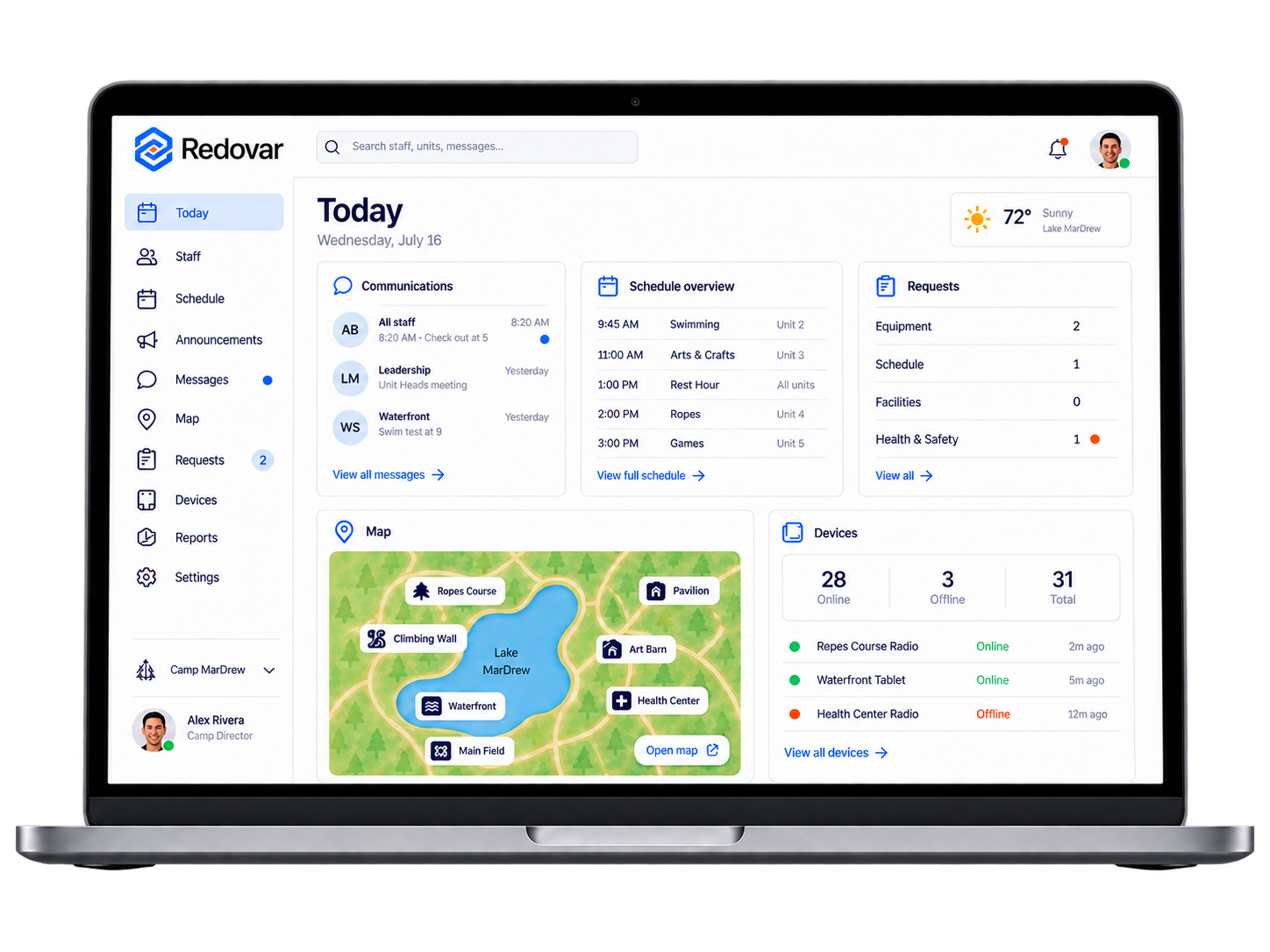
Leadership manages schedules and keeps staff informed from one place.
Stay on top
of the day
Build your schedule, Make changes, Keep
staff informed.
Build your schedule, Make
changes, keep staff informed.
Everything where it belongs
Staff get what they need on the Redovar Device without using a personal phone at work.
What you can do in Redovar
Everything is easy to find and easy
to use.
Today
See what’s happening now and what’s next.
Staff
Add staff and set their roles.

Schedule
Build the schedule and make changes when needed.

Announcements
Send an update to everyone or just the people who need it.
Messages
Message staff without relying on personal group chats.

Walkie
Talk to staff when a message can’t wait.

Map
Help staff find where they need to go.

Requests
Give staff a simple way to ask for help.

Devices
Assign devices and see who has them.

Emergency
Send an alert and get important information to staff quickly.
Redovar at the desk
and in hand
Manage everything
Build schedules, assign staff, send updates, answer requests, and manage devices.
Keep moving
See where to be, what changed, who messaged
you, and where
to go.
The software manages the day.
The device is for working through it.
Adjust as
you go

Move a time. Change a location. Reassign someone. Send an update.

Redovar keeps everyone up to date.
Frequently Asked questions
What can I manage in Redovar?
Staff, schedules, announcements, messages, requests, maps, devices, and more.
Do staff need to use their personal phones?
No. Staff use the Redovar Device instead of a personal phone at work.
Can I bring in an existing schedule?
Yes. You can import a schedule from Excel or CSV.
Can I change the schedule after it’s been made?
Yes. Change a time, location, or assignment and staff get the updated version.
What happens if Wi-Fi goes out?
Anything already saved on the device stays available. New changes come through when Wi-Fi returns.
Can different people have different access?
Yes. Owners, leadership, and staff can each have the access they need.